


Custom actions
Write your own prompts with variables, assign a shortcut and export or import your setup (without API keys).

Native macOS app · Free beta
ToneMate rewrites, translates, proofreads and replies right where you are writing, with a model on your Mac or your own API keys.
macOS 14 or later · Free while in beta · One-time purchase later, no subscription
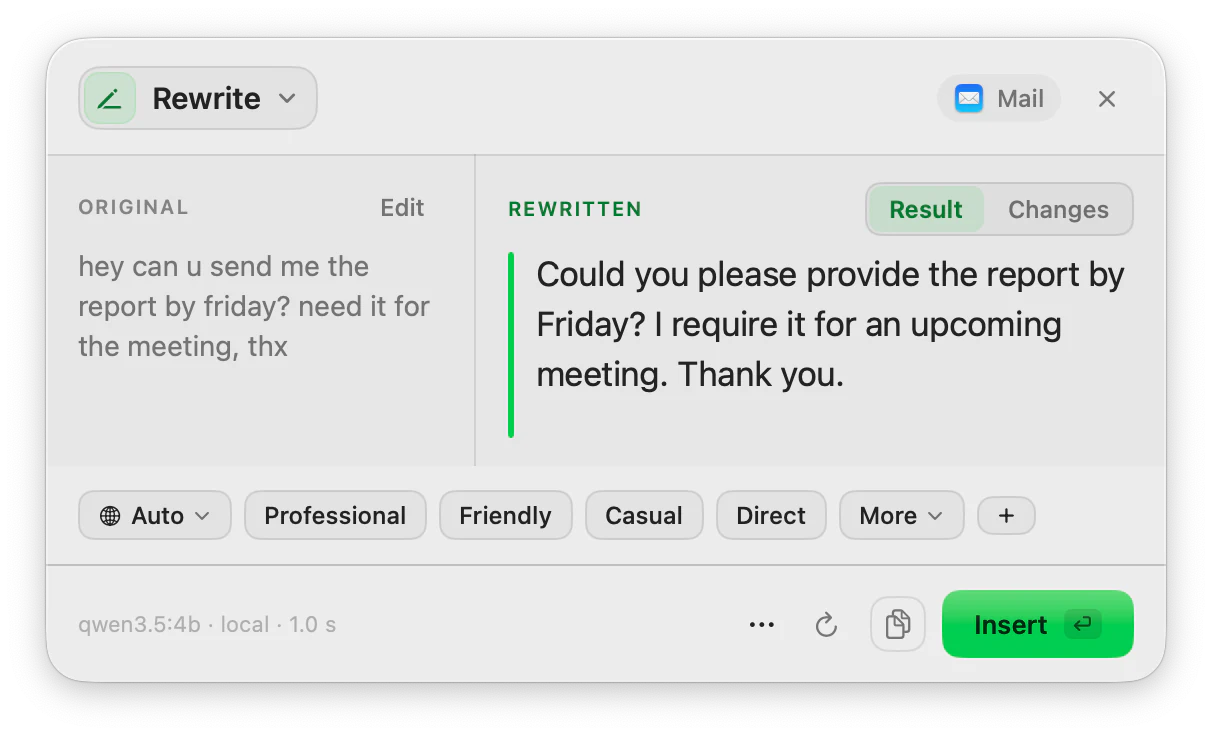
⌘⇧RRewrite, running on a local model
How it works
No new window to learn and no text to paste into another tool.
Highlight text wherever you can select text: an email, a note, a page, a message.
Hit the shortcut you assigned. A small panel opens next to your text and runs the action.
Check the result, change the tone or language with one tap, and insert it back. Your clipboard is put back as it was.
Actions
Switch action without selecting again. Change tone or language with one tap and it runs again.
Pick professional, friendly, casual or direct and see the result next to your original. Switch to Changes to see exactly what moved.
See it in motion
Short recordings of ToneMate working inside other apps. The time spent waiting for the model is sped up.
Your text, your model
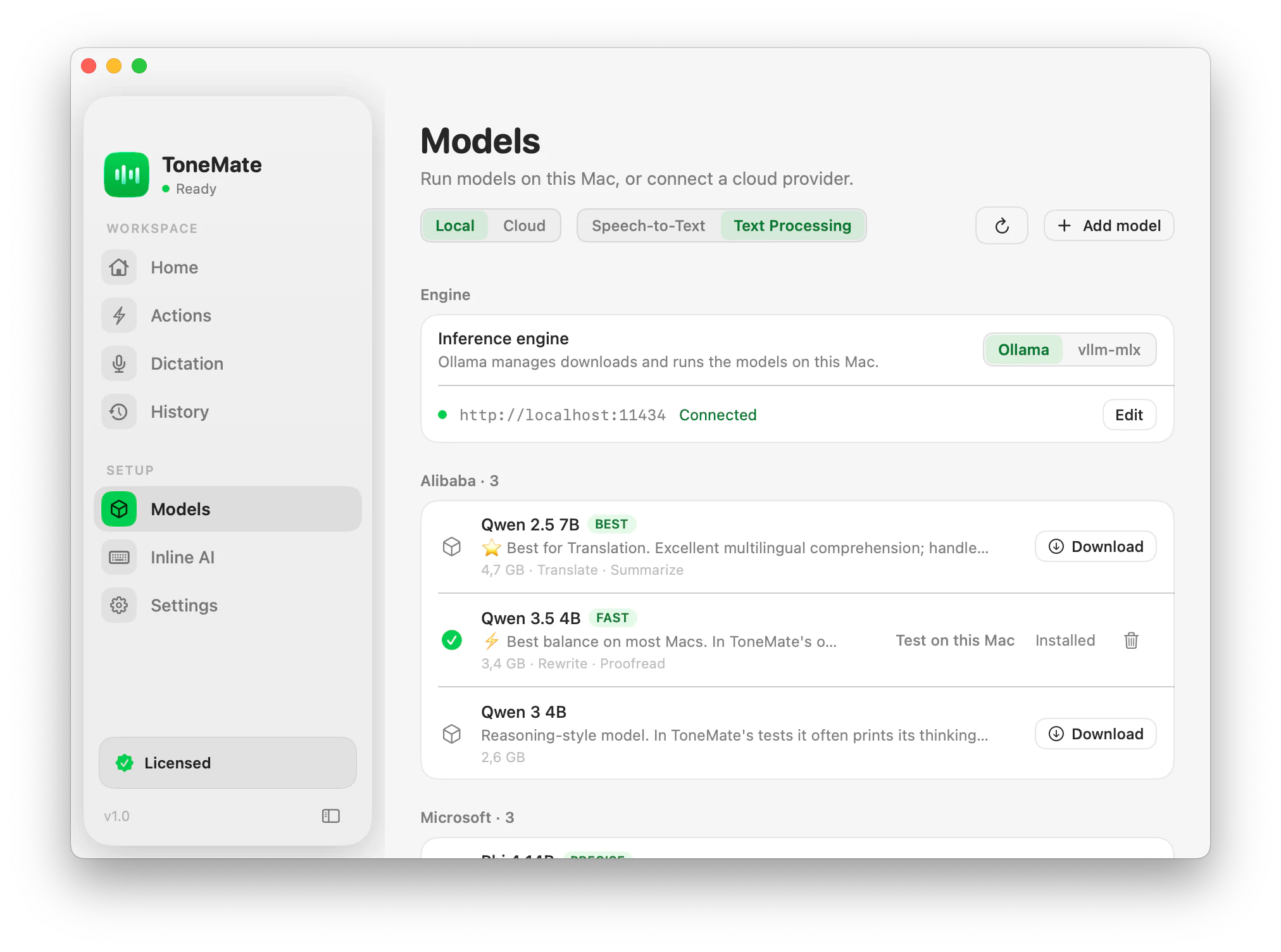
Run a model on your Mac with Ollama or MLX, or bring your own API keys for OpenAI, Anthropic, Google, Mistral or xAI. Pick a model for each action.
With a local model, your text is processed on your Mac.
API keys stay in the macOS Keychain. With a cloud model, your text goes straight to the provider you chose.
ToneMate never sends your text to its own servers. The app only contacts ToneMate to check your license.
Speech is transcribed locally with Whisper or Parakeet, once the model is downloaded.
“Test on this Mac” runs 12 real checks (language, typos, speed) on a local model first.
And when you want more
Write your own prompts with variables, assign a shortcut and export or import your setup (without API keys).
Chain two or more actions behind one shortcut, starting from text, voice, audio or a document.
Every run is saved on your Mac with search, pins, variants and a comparison with the original.
Optional spelling and grammar help while you type, only in the apps you choose.
Pricing
One purchase, two licenses. Everything you need to work with AI from your Mac.
Now in beta
Free during the beta
Paid licenses will open once ToneMate is stable. No monthly fees, no lock‑ins.
FAQ
Download the app, then request a free license key. We email it to you. It has no fixed end date during the beta; when the first stable version comes out, it keeps working for 30 more days as your free trial.
Then request your key:
Contact
About models, features or the beta. We reply within 24 hours.